 BillPlz
GOOD FOOD. AN EASY GOODBYE.
The bill.
Minus
the wave.
Ready for the bill? Let your waiter know with a tap. BillPlz connects your table to the restaurant’s team, so you can spend less time trying to catch someone’s eye.
Try it at your restaurantWelcoming pilot enquiries · Staff iPhone app preparing for launch
That was good.
Bill, please.
Let your waiter know you’re ready.
No download. No sign-up.
Table 12 is ready for the bill
First request · Your restaurantTHE SHORT VERSION
Three steps.
Then you’re off.
Nothing complicated between your customers and your team.
- 01 / SCAN
Start at the table.
The customer scans the table’s QR code. Their restaurant and table open in the browser, with no account to create.
- 02 / REQUEST
Let the team know.
One tap sends a bill request to that restaurant’s on-duty staff. Waiters see it in the iPhone app and receive a notification when enabled.
- 03 / RESPOND
Finish with a smile.
A waiter acknowledges the request and brings the bill. Still waiting? The customer can send a clearly marked reminder after three minutes.
AT THE TABLE / ON THE FLOOR
Same request.
Both sides of the table.
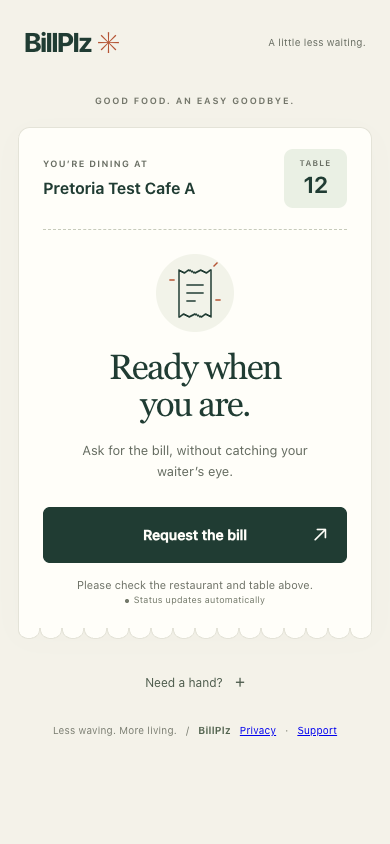
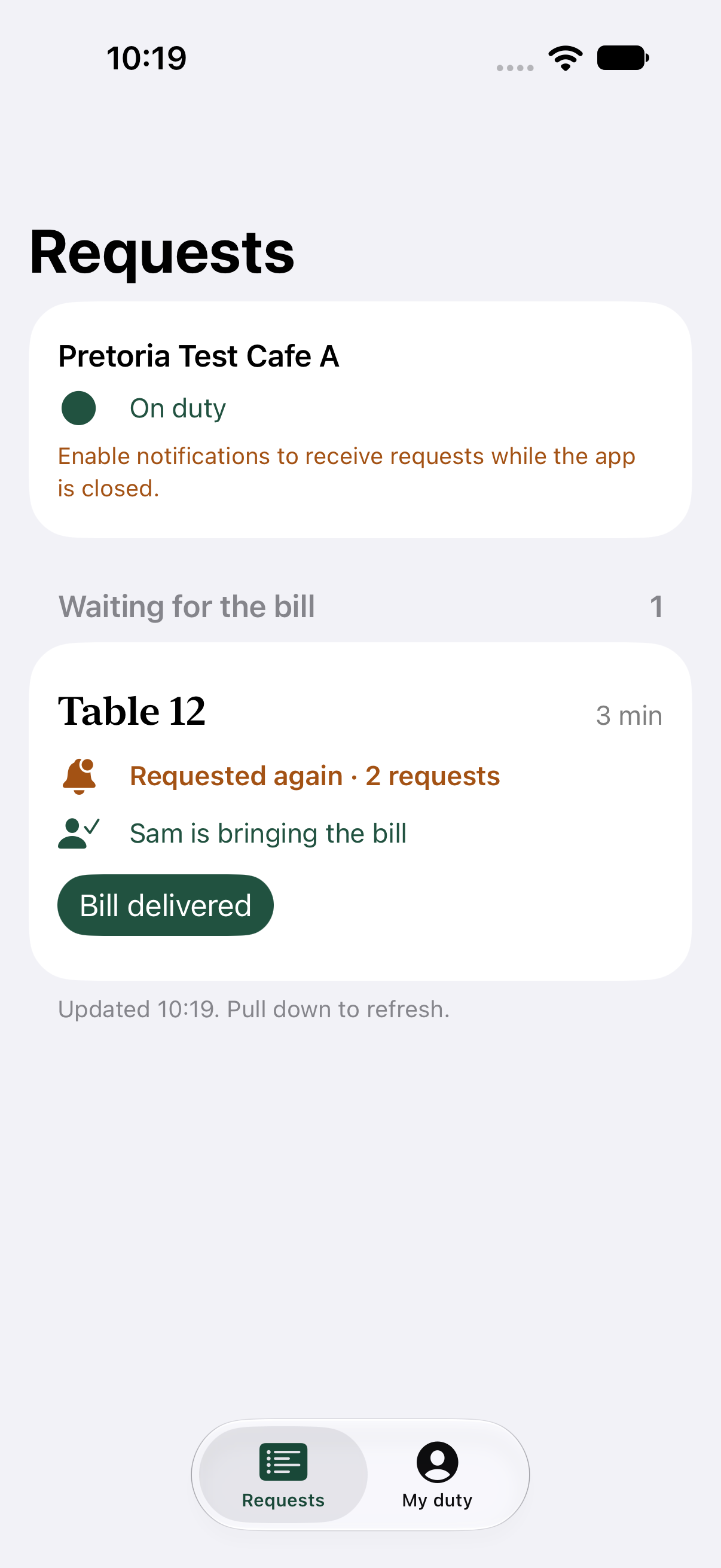
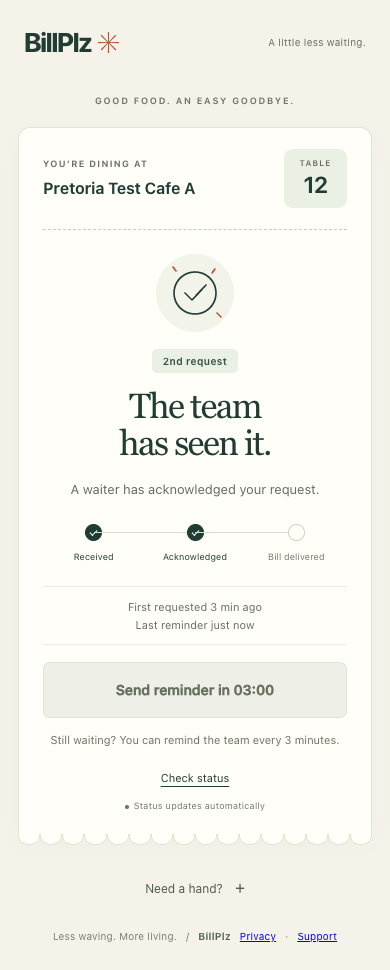
Real screenshots of the customer pages and staff iPhone app, using a test restaurant. Tap a screenshot for a closer look.
Ready for the bill.
A simple request from the table.
Everyone in the loop.
See repeat requests and who’s responding.
A little reassurance.
Follow the status and send a reminder.
FOR THE PEOPLE RUNNING THE SHOW
Your floor.
Your team.
No crossed wires.
A shared view of who’s ready for the bill, without adding another email account for every waiter.
- Set up once. Create your restaurant account, add tables and print a QR code for each one.
- Bring the team in. Give each waiter a personal join code for the iPhone app. They start duty when their shift begins.
- Keep requests in the right place. Tables, staff access and bill notifications are scoped to their own restaurant.
A FEW THINGS TO KNOW
Before the bill.
Do customers need the app?
No. Customers scan the QR code on their table and use the page in their browser. The iPhone app is for restaurant staff.
Does BillPlz take payments?
No. BillPlz tells your restaurant you’re ready for the bill. You pay the restaurant as you normally would.
Can I use it at any restaurant?
The restaurant needs to be set up with BillPlz and provide a QR code for your table. If you’re dining somewhere without one, ask your waiter directly.
What if I’m still waiting?
You can send a reminder after three minutes. The staff app shows that it’s a repeat request. A notification doesn’t guarantee an immediate response; you can always speak to your waiter.
Is BillPlz only for Pretoria?
Our first restaurant outreach starts in Pretoria, South Africa. BillPlz is designed for separate restaurants in other locations too. Get in touch if you’d like to join the pilot.
NOW TAKING PILOT ENQUIRIES
Good service.
Right to the last tap.
Run a restaurant? Tell us a little about it.
We’d love to help you try BillPlz with your team.